Полный обзор Artistly.ai (2025): AI генератор изображений без подписки – стоит ли?
Здравствуйте, друзья. В 2025 году практически все генеративные модели работают на одном уровне качества. В каждой из них можно получить хороший результат, который в большинстве случаев потребует доработки текстур, деталей и размеров для коммерческого использования. Разница только в интерфейсе, особенностях, наборе функций и - в цене. Подписки на инструменты могут оказаться выше, чем прибыль от их использования.
В своем выборе я ориентируюсь на стоимость, функционал и пользовательский комфорт. По этим критериям моим фаворитом стала генеративная платформа Artistly.ai, которая за единоразовую оплату дает “вечный” (бессрочный) доступ к генератору изображений, возможно, с самым широким на рынке набором возможностей. Давайте посмотрим, как эта штука, которой я пользуюсь четвертый месяц, работает на практике.
Это подробный обзор Artistly 4.0, основанный на моем опыте, в дополнение к информации на моем канале Телеграм “АтельеAIконтента” и видеообзоре на youtube:
Что такое Artistly.ai? Кратко о платформе и разработчике
Artistly.ai – это облачная ИИ-платформа для генерации и редактирования изображений, разработанная командой канадского предпринимателя Пола Понна (Paul Ponna), известного в сфере цифрового маркетинга и созданием таких инструментов, как Doodle Maker, Video Creator и др. Artistly позиционируется как универсальное решение "все-в-одном", объединяющее множество инструментов для работы с графикой и ориентированное на пользователей без глубоких технических знаний.
Технические основы: Платформа работает с растровой графикой, поддерживая экспорт в PNG (с прозрачностью) и JPG. Максимальное разрешение генерации может достигать 16 Mpx. Важно отметить отсутствие поддержки векторных форматов (SVG), что может быть ограничением для некоторых профессиональных задач.
Ключевое преимущество: единоразовая оплата и коммерческая лицензия
Главный козырь Artistly – единоразовая оплата. Вместо подписок вы платите один раз и получаете бессрочный доступ.
- Commercial: ~$49 (базовый функционал)
- Premium: ~$147 (полный функционал, включая продвинутые режимы)
(Цены на момент написания статьи, часто бывают скидки).
Это выгодно отличает Artistly от Midjourney, Leonardo AI, Sora и других сервисов с регулярными платежами. Для меня это стало решающим фактором.
Важнейший аспект: оба плана включают коммерческую лицензию. Вы получаете полные права на коммерческое использование созданных изображений (продажа на стоках, реклама, клиентские проекты) без дополнительных отчислений.
Дополнительно есть партнерская программа с возможностью получать до 40% комиссионных.
Первое знакомство: Лента сообщества
Прежде чем генерировать, рекомендую заглянуть в публичную ленту сообщества. Здесь пользователи в режиме реального времени (без редактирования изображений) делятся своими работами (если они выбрали публичный режим генераций).
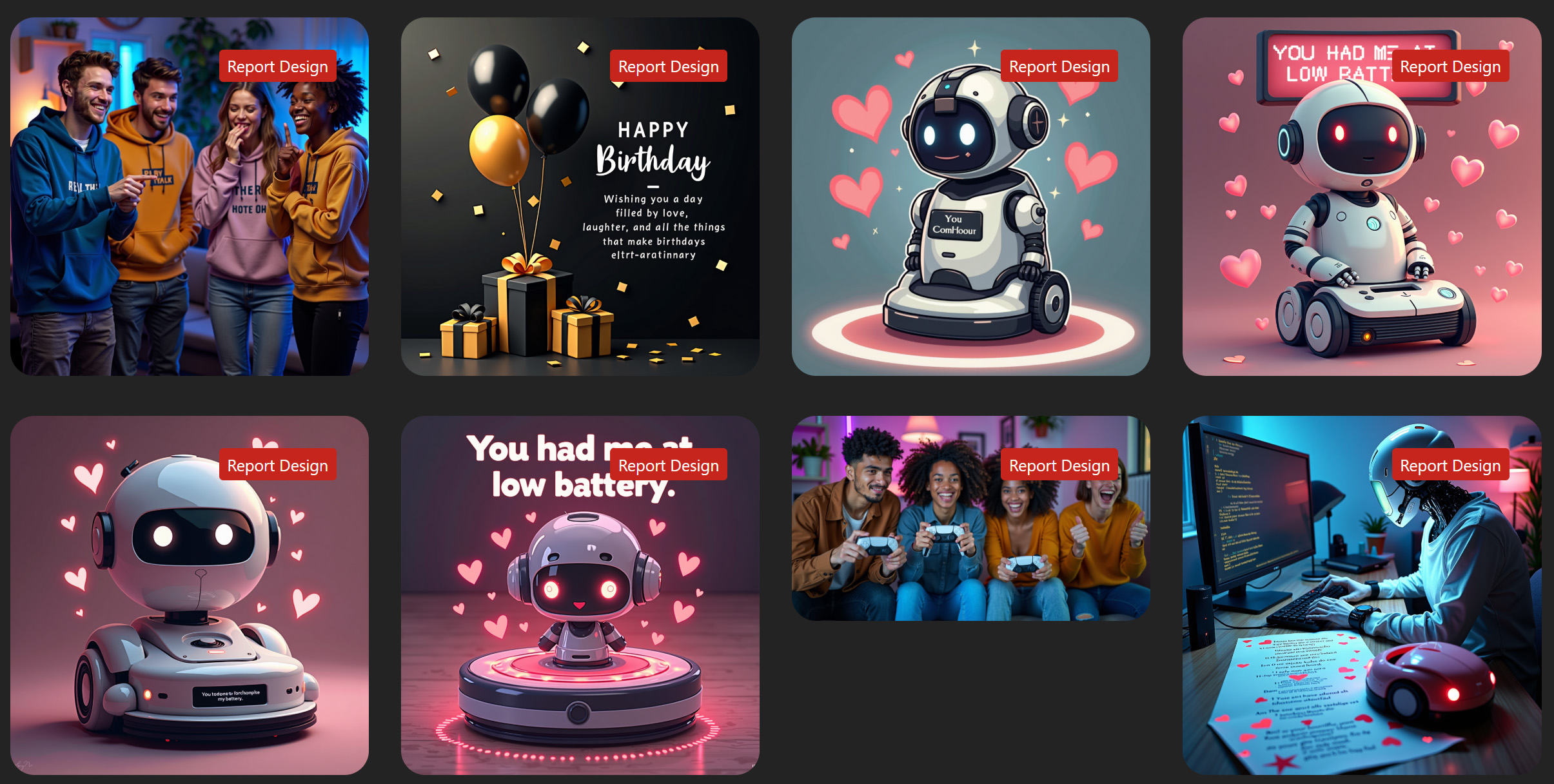
Это отличный способ:
- Увидеть реальные результаты и возможности платформы.
- Найти вдохновение.
- Скопировать промпт понравившегося визуала для адаптации или нажать кнопку регенерации.
- Понять настройки приватности (свои работы можно сделать приватными, выбрав соответствующий пункт перед генерацией или после генерации).
Философия платформы: кому подходит Artistly?
Artistly – это инструмент для тех, кто ценит быстрые результаты и простоту, а не глубокий контроль над процессом генерации.
Artistly НЕ для вас, если:
- Вы любитель тонких настроек: хотите вручную выбирать LoRa, сэмплеры, шаги генерации, точно задавать параметры кадра и т.д.
Artistly ДЛЯ вас, если:
- Вы хотите получать качественную графику быстро, не погружаясь в технические дебри.
- Вам нужен универсальный инструмент "все-в-одном" по доступной цене.
- Вы цените модель единоразовой оплаты и коммерческую лицензию.
Ключ к успеху здесь – понять особенности и сильные стороны разных режимов работы.
Основные режимы работы и функции
Интерфейс прост, но набор функций широк и это может сбивать с толку. Одну и ту же задачу можно выполнить в разных режимах и получить разные результаты. Рассмотрим основные режимы подробнее (на примере Premium-подписки).
1. AI Image Designer (ИИ-дизайнер изображений)
- Суть: базовый режим генерации по текстовому запросу (на английском языке).
- Настройки: кнопка "Customize Settings" открывает доступ к 12 параметрам (размер, папка, приватность, кол-во вариантов, стиль, свет, настроение, цвет, тип визуала, ракурс, локация, композиция).
- Главное преимущество: скорость генерации сразу 4-х вариантов, быстрая проверка влияния разных настроек промпта на результат. Идеален для создания промптов, быстрой генерации идей и проверки концепций. Не дает высокое качество деталей (для этого есть режим Perfect Text & Hands Designer).
- Уникальная особенность: Prompt Enhancer (Улучшитель подсказок). Вводите 1-2 слова по теме (например, "Eid al-Adha" для стоков в апреле) -> ИИ генерирует подробный промпт.
- Особенности: Результаты сохраняются в вашем пространстве ("Personal Designs") с возможностью создания папок. Если не выбран режим приватной генерации - результаты станут публичными и попадут в ленту сообщества. Легко перезапустить генерацию с измененными параметрами.
2. Perfect Text & Hands Designer (Улучшенный дизайнер текста и рук)
- Суть: режим для генерации с повышенным качеством и детализацией, особенно текста и рук, но улучшает весь визуал. Понимает разные стили, указанные в промпте.
- Использование: можно отправить сюда результат из AI Image Designer или начать генерацию сразу здесь (особенно с готовым промптом). Также есть Prompt Enhancer.
- Главное преимущество: лучшее качество деталей, более корректное отображение текста и анатомии рук по сравнению с базовым режимом, понимание разных стилей.
- Уникальная особенность: Mirror Magic (Зеркальная магия). Генерирует детальный промпт на основе любого загруженного вами изображения (до 2 МБ). Отлично для анализа референсов.
- Возможности: поддерживает генерацию 10 типов изображений (иллюстрации, фото, лого, животные, дизайн футболок, соцсети, паттерны, постеры, стикеры, открытки).
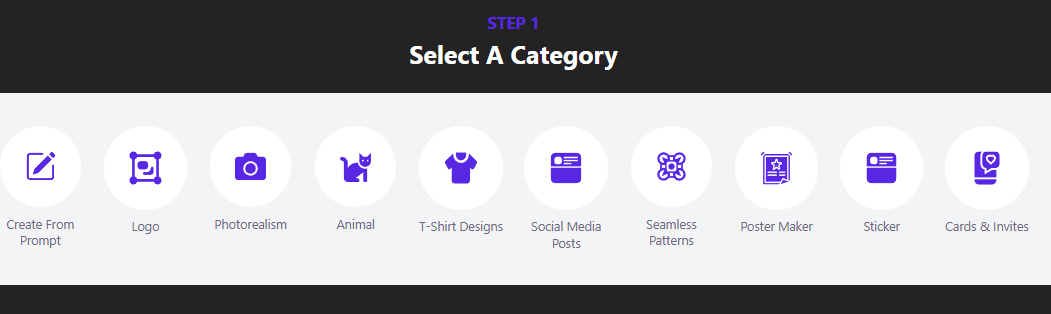
3. AI Art Illustrator (Иллюстратор ИИ)
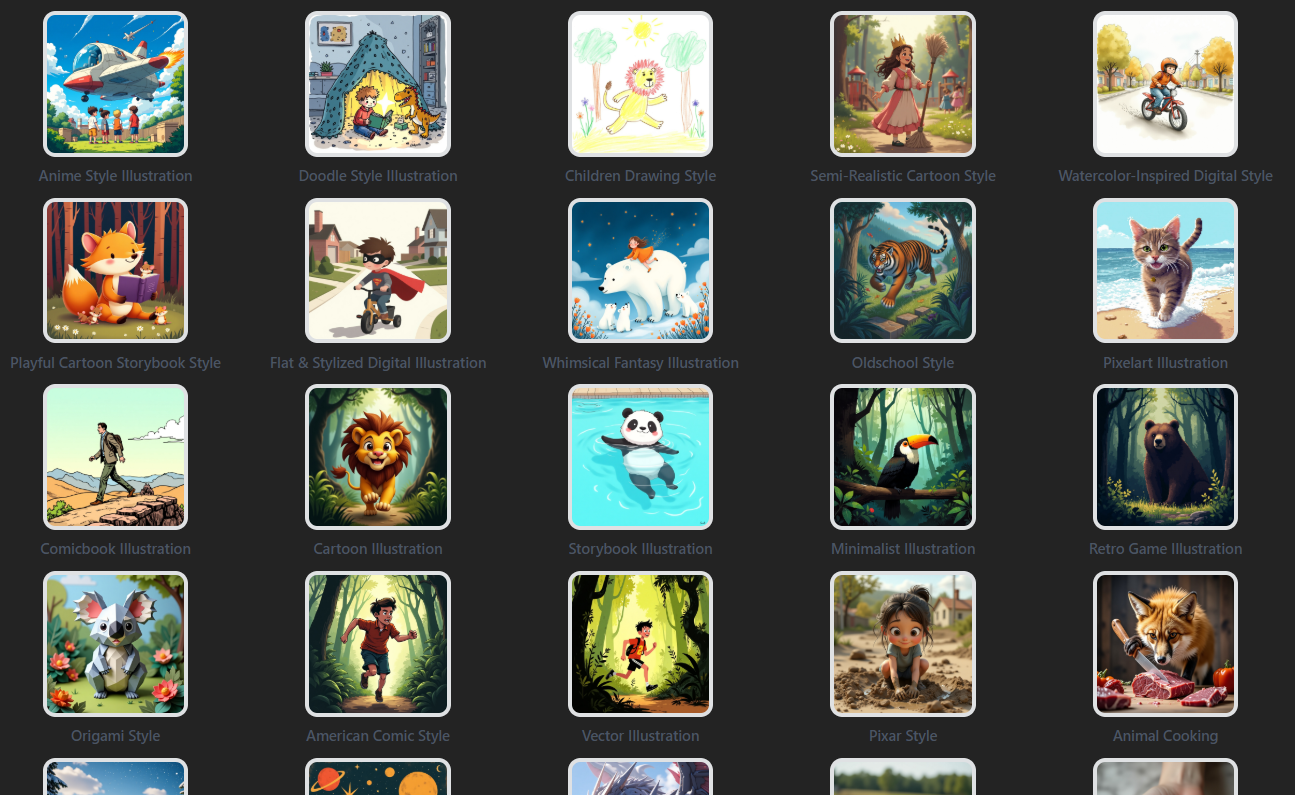
- Суть: режим для быстрой стилизации изображений.
- Использование: вводите идею/промпт на английском и выбираете стиль из 55+ предустановленных (акварель, пиксель-арт, 3D, стикер и т.д., список пополняется).
- Главное преимущество: быстрое получение графики в нужном художественном стиле.
- Уникальная особенность: Кнопка "Inspire Me" (Вдохнови меня). Генерирует случайный промпт оптимизированный для выбранного стиля, если у вас нет идей.
4. Редактор в стиле Canvas
- Суть: встроенный редактор для доработки генераций или создания с нуля (доступен по кнопке с кисточкой и как самостоятельный раздел).
- Возможности: слои, импорт/экспорт, удаление и замена фона, удаление и замена элементов изображений, замена лиц, добавление текста/фигур, расширение изображений, базовые коррекции.
- Дополнительно: функция "виртуальной примерочной" для демонстрации товаров на моделях.
- Личный опыт: Для моих стоковых задач я предпочитаю Photoshop, но для быстрых правок или простой компоновки этот редактор может быть полезен.
5. Специализированные инструменты и будущее
Платформа включает множество других инструментов:
- Работа с лицом: Face Swap, Train AI With Your Face (обучение на вашем фото).
- Мокапы: Instant Ecommerce Mockups, AI Product Photographer.
- Логотипы: AI Logo Maker.
- Редактирование: AI Inpainting, Smart Expand (Outpainting), AI Image Upscaler (увеличение разрешения).
- Консистентные персонажи (AI Consistent Character): создание персонажей, сохраняющих внешность в разных сюжетах. Хорошо работает с мультяшными вариантами и плохо с фоторалистичными (Premium). Позволяет загрузить референс и генерировать новые сцены.
В настоящее время команда активно развивает AI-агентов для создания сложного серийного контента, например, детских раскрасок и книг разных жанров. В режиме создания книги ИИ генерирует тексты глав (сейчас установлен лимит в 25 страниц), промпты для иллюстраций к ним и автоматически создает всю серию иллюстраций по выбранному стилю. Неудачные иллюстрации можно сделать заново в своем персональном пространстве. Сгенерированные текст нельзя схранить на платформе, но можно скопировать для переноса в любое удобно место, например, на Гугл диск, чтобы добавить туда созданные иллюстрации и отформатировать конечный вариант книги.
Качество, постобработка и промпты
Качество генераций в Artistly хорошее, но, как и у всех ИИ, требует отбора и контроля. Для коммерческого использования почти всегда нужна постобработка и добавление текстур.
Эффективный промпт – ключ к успеху. Помните: используйте английский, будьте конкретны, избегайте логических противоречий, учитывайте сильные ассоциации ИИ, используйте ключевые слова стиля/качества и итерируйте.
Сравнение с конкурентами (например, MidJourney)
- Качество: MidJourney часто считают эталоном художественного качества, но Artistly выдает конкурентоспособные результаты, особенно для коммерческой графики и для пользователей без опыта промпт-инжиниринга. Artistly - промпто-зависимая модель генерации, в которой нет возможности тренировки и подключения дополнительных моделей. Качество результата напрямую зависит от качества промпта. В отличие от MidJourney, здесь нельзя создать и сохранить свой визуальный стиль с помощью добавления визуальных референсов. Но его можно сделать через промпты, включая в них те элементы, которые вам нравятся.
- Цена: главное отличие – единоразовая оплата Artistly против подписки MidJourney ($60+/мес ProPlan 30 часов генерации).
- Инструменты: Artistly предлагает гораздо более широкий набор встроенных инструментов (редактор, мокапы, текст и т.д.), являясь решением "все-в-одном".
- Контроль: MidJourney предлагает больше тонких настроек для опытных пользователей. В Artistly вы делаете это через выбор лучшего для вашей задачи режима работы.
Кому подойдет Artistly.ai?
Платформа будет полезна широкому кругу пользователей:
- SMM-менеджерам и контент-маркетологам
- Владельцам E-commerce (для мокапов и карточек товаров)
- Создателям стоковых ассетов (особенно начинающим)
- Начинающим дизайнерам и фрилансерам
- Блогерам и авторам контента
- Педагогам и студентам
- Авторам книг (особенно с развитием AI-агентов)
- Любителям и техно-энтузиастам, которым нужен доступный инструмент с широким набором функций
Основное преимущество – стоимость, универсальность, широкий функционал и низкий порог входа.
Итоги: плюсы и минусы
Плюсы:
- ✅ Выгодная модель единоразовой оплаты
- ✅ Коммерческая лицензия на всех планах
- ✅ Низкий порог входа (простота использования)
- ✅ Широкий набор инструментов "все-в-одном"
- ✅ Партнерская программа (до 40%)
- ✅ Все обновления доступны бесплатно без дополнительных платежей
- ✅ Работает в браузере на любых устройствах, не зависит от мощности компбютера
Минусы:
- ❌ Работа только с растровой графикой (нет SVG)
- ❌ Необходимость контроля качества и отбора генераций
- ❌ Нужен доступ в интернет
- ❌ Нет API для автоматизации (обратная сторона пожизненной лицензии)
- ❌ Результаты для коммерческого использования зачастую требуют постобработки (что, впрочем, характерно для всех подобных платформ)
Заключение: вердикт автора
Artistly 4.0 – многофункциональный инструмент, реальная ценность которого гораздо выше его стоимости. Он не заменит узкоспециализированные профессиональные пакеты для сложных задач, но как универсальный помощник для создания визуального контента, особенно при ограниченном бюджете, показывает себя превосходно.
Если вы ищете доступное решение без ежемесячных платежей, скрытых ограничений для генерации и редактирования графики – Artistly.ai отличный кандидат. Платформа существует не первый год и активно развивается.
➡️ Моя партнерская ссылка на Artistly.ai: artistly
🔥 Бонус: при покупке по моей ссылке я готов делиться с вами своим опытом и консультировать по эффективному использованию платформы.
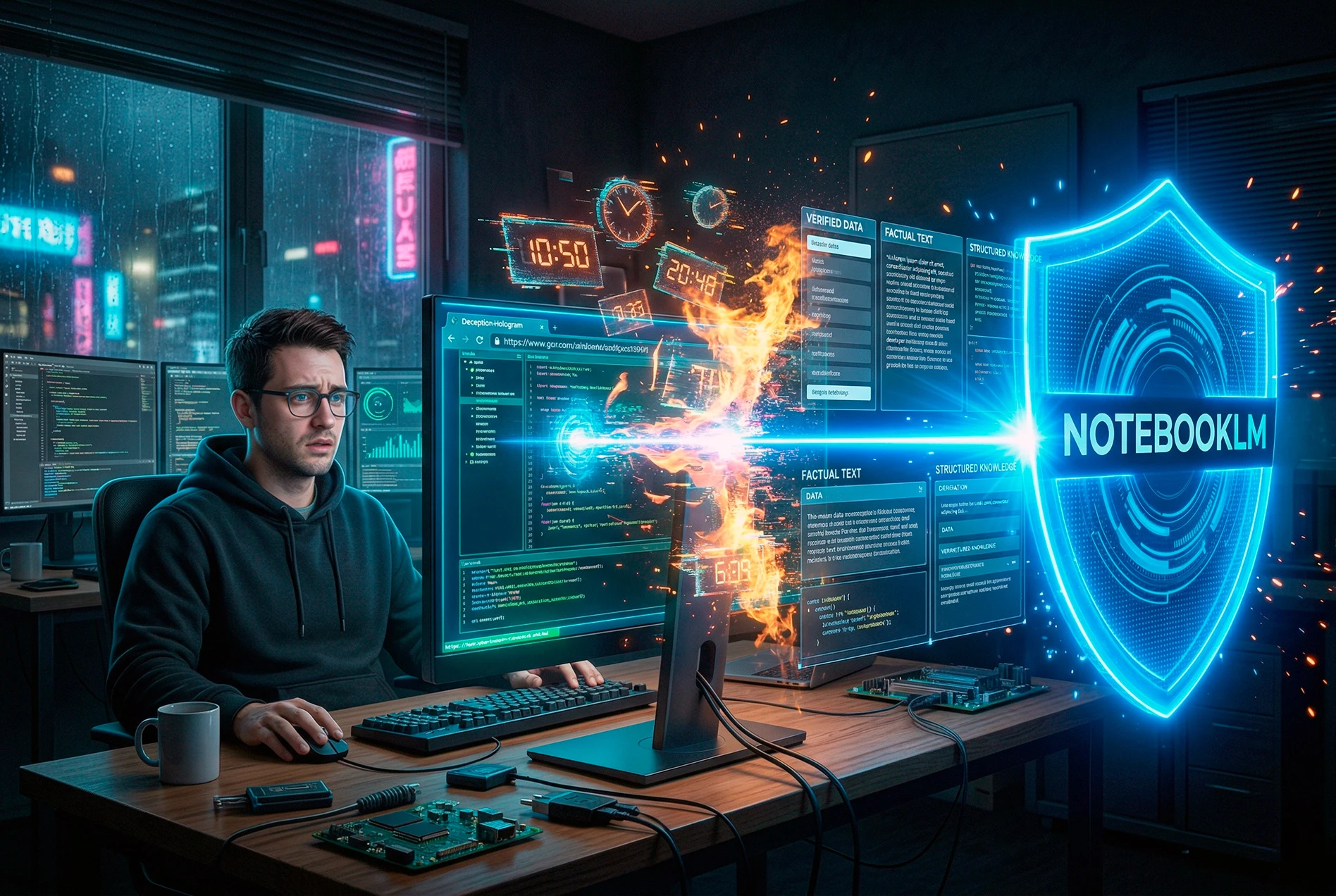
Ложь, сжигающая время: почему нейросети галлюцинируют по ссылкам и как NotebookLM спасает от фейков

Обзор Teable.ai: мощная альтернатива Airtable с AI и ловушка для кредитов в App Builder
🎙️ Как создать идеальный ИИ-клон голоса в 2026 году (и навсегда уйти от подписок)